How to hire UX designer in 2026: simple steps for your team
Learn how to hire UX designer talent: define the role, pick a model, set a budget, read portfolios, and run a short paid trial that predicts fit.
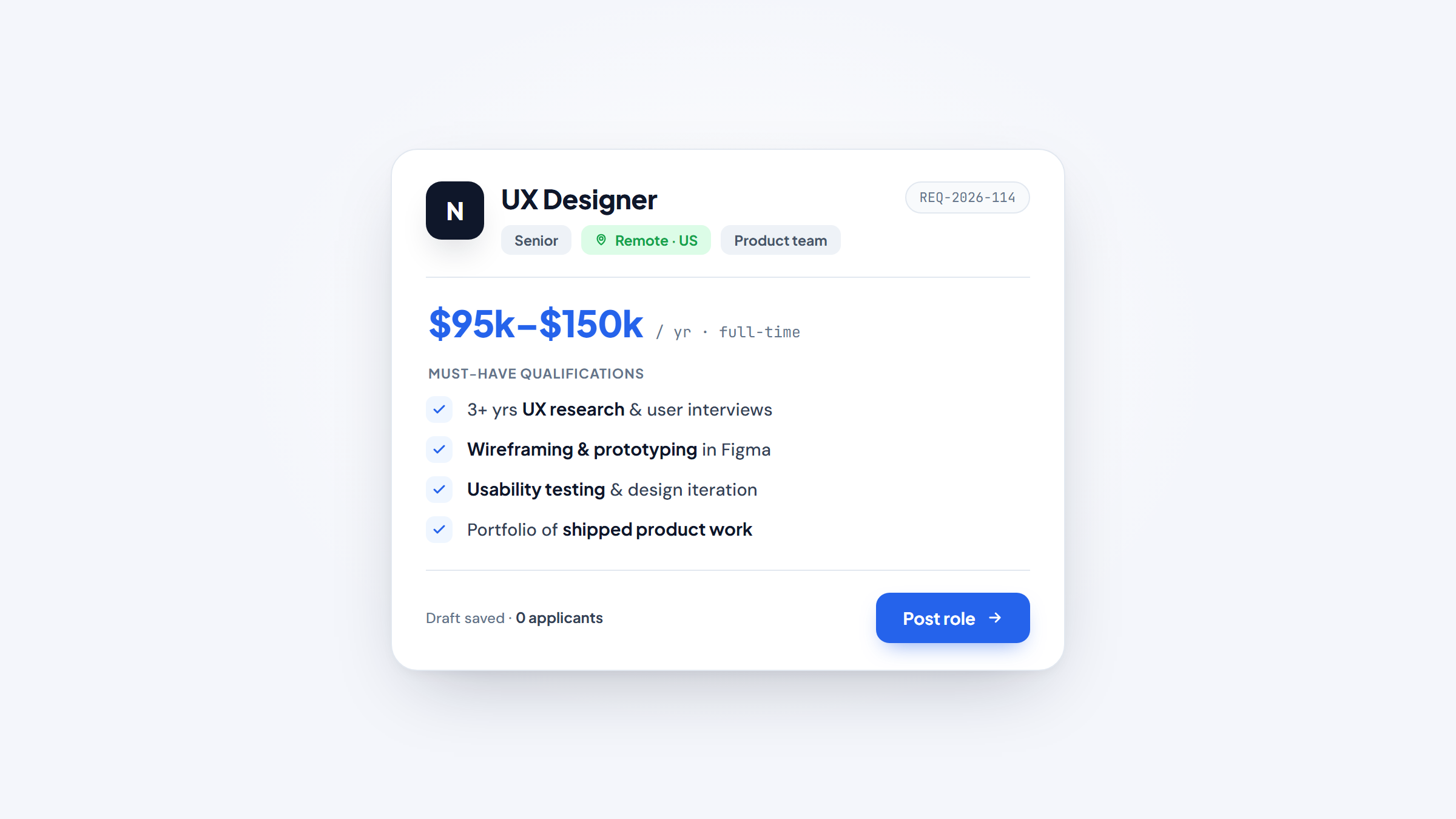
Hiring a UX designer is a high-stakes decision, and most teams get the first move wrong. They post a job, collect portfolios, and interview candidates before they've settled the one question that decides everything: what does this person actually need to own? A polished portfolio means little if you hired a visual designer to solve a research problem, or a researcher to ship an interface.
This guide walks through how to hire a UX designer, step by step. You'll define the role, choose the right model for your budget and timeline, write a job description that filters correctly, source real candidates, read a portfolio for reasoning instead of gloss, and run an interview that predicts on-the-job work.
We'll also cover the specific case of hiring for ecommerce UX, where the money is measured in cart abandonment and checkout drop-off. By the end you'll have a repeatable process your team can run whether you're making your first design hire or your fifth.
Why hire UX designer talent (and what it's worth)
Good UX isn't cosmetic. It's the difference between a product people finish signing up for and one they abandon at step three. The reason to invest in the right designer is straightforward: better experience design tracks with better business results, and the gap between average and excellent is large.
The clearest evidence comes from McKinsey. Its research studied 300 companies over five years and found that the top quartile on its Design Index grew revenue 32 percentage points faster and delivered 56 percentage points higher total returns to shareholders than their peers. Design maturity, not headcount, drove the gap. That is the upside a strong UX hire is competing for.
The downside is just as real. A weak hire ships confusing flows, ignores what users actually do, and leaves your team rebuilding the same screens twice.
This is why teams that hire UX designer talent early pull ahead, and why some skip the slow full-time search entirely. At Awesomic, we match businesses with a vetted UI/UX designer in up to 24 hours, so you can start solving the experience problem this week instead of three months from now.
Step 1: define the exact role you need
Before you write a word of a job post, name the role precisely. "We need a designer" is how teams end up with the wrong person. UX design, UI design, product design, and UX research are related but distinct jobs, and conflating them is the classic bad hire. Ask a visual designer to run usability studies, or a researcher to build a design system, and both will struggle.
The market makes this harder, not easier. According to the Nielsen Norman Group, employers are compressing more responsibility into each design role, so titles increasingly demand breadth and judgment rather than a single artifact skill. That means you have to be clear about what you truly need to own before you can tell whether a candidate covers it.
Here's how the common roles break down and when each one is the right call.
Role | What they own | When you need them |
|---|---|---|
UX designer | Flows, wireframes, information architecture, research synthesis, usability | The product's structure or experience is the problem |
UI designer | Visual design, components, design systems, polish | It works but looks and feels off or inconsistent |
UX/UI hybrid | Both ends, from flow to final pixels | A small team that can support only one designer |
Product designer | Problem to shipped feature, working with PM and engineering | Design must tie directly to product outcomes |
UX researcher | User interviews, usability testing, evidence and insights | You need proof of what users do, not more screens |
For most early product teams, a UX/UI hybrid or a product designer covers the widest ground. Larger teams with a real research backlog are the ones who genuinely need a dedicated researcher. Settle this first, because every later step depends on the answer: the budget, the sourcing, the interview.
Step 2: decide the hiring model
Once you know the role, decide how you'll buy it. A UI/UX designer for hire can arrive as a freelancer, a full-time employee, an agency project, a fractional lead, or a dedicated designer on subscription. Each fits a different need, budget, and risk profile, and picking the wrong container is as costly as picking the wrong person.
The table below compares the five common models on cost, best fit, and where each one bites.
Model | Typical cost | Good fit | Main risk |
|---|---|---|---|
Freelancer | $25 to $150/hr | Narrow, well-scoped tasks | Weak for open-ended product UX; availability swings |
In-house hire | $70K to $150K/yr plus benefits | A continuous, long-term product need | Slow to hire; hard to reverse a bad fit |
Agency | $8K to $30K per project | Big one-off launches or redesigns | Costs add up; less embedded in your team |
Fractional UX lead | $3K to $10K/mo | Senior strategy without a full-time seat | Limited hours; not for heavy production |
Dedicated subscription | Fixed monthly fee | Ongoing, varied work that needs to start fast | Overkill for a single tiny task |
Freelance marketplaces are strong for a scoped job like redrawing 12 screens, and weaker when the work is open-ended and needs someone who learns your product over months. That gap is where dedicated-designer subscriptions have grown into an established category, and where we sit. It's now common to hire dedicated UI/UX designer support on a fixed monthly plan instead of running a full search.
Instead of you sifting applicants, Awesomic matches you with a dedicated UI/UX designer from the top 0.82% of talent we test, backs the work with a project manager, and covers breadth across UX, UI, and web so one relationship handles more than one narrow skill.
If you want the deeper trade-offs, our own breakdowns of subscription vs freelance vs in-house and freelancers vs an agency go model by model. Whatever you choose, choose it on purpose rather than defaulting to whatever's fastest to post.
Step 3: write a job description and set the budget
A good job description does one job: it filters. State the role you defined in step one, the problems the designer will own, the tools your team uses (Figma, whatever your build stack is), and the seniority you're paying for. Vague posts attract vague applicants, so name concrete responsibilities like "run usability tests on the checkout flow" instead of "improve the user experience."
Budget is the part teams guess at, so anchor it in real numbers. The one government-verified figure is the U.S. Bureau of Labor Statistics median of $95,380 per year for web developers and digital designers. Read it as a floor and a rough anchor, not a UX-only number, because that bucket blends UX designers with web developers.
Private aggregators report their own ranges, and they disagree, so treat them as reported ranges rather than one true salary.
Source | Reported figure |
|---|---|
BLS (web and digital designers, median) | $95,380/yr |
Glassdoor (average) | $108,297/yr |
ZipRecruiter (average) | $106,224/yr ($91K to $125K) |
Salary.com (average) | $96,440/yr |
PayScale (average) | $83,309/yr |
Upwork (freelance pool) | $25 to $39/hr |
Because the sources disagree by more than $25,000, don't average them into a single figure that looks precise but isn't. Instead, decide your seniority and location, pick the range that matches, and post a band. A clear band also tells strong candidates you've done your homework, which matters when the good ones are choosing between offers.
Round out the post with the two or three things that actually filter applicants: the specific problems the designer will own in their first quarter, the collaborators they'll work with day to day, and one line on how you'll evaluate them. Skip the generic wish list of 15 tools. A tight brief attracts people who read it carefully and repels the ones who spray the same portfolio at every posting.
Step 4: source candidates
With the role, model, and budget set, you're ready to hire UX designer talent. Where you look depends on what you're buying: portfolio sites and communities surface quality, professional networks let you reach out directly, and marketplaces trade some vetting for speed. Spreading across a few channels beats leaning on one.
These are the channels worth working, and what each is good for.
- Behance and Dribbble to browse portfolios and spot a visual and process fit before you ever message anyone.
- LinkedIn for outbound, where you can search by title and seniority and approach passive candidates who aren't actively job-hunting.
- ADPList, Designer Hangout, and the Figma Community to reach engaged designers through referrals and mentorship networks.
- Freelance marketplaces when you need someone on a narrow task quickly and can accept lighter vetting.
Marketplaces deserve a caveat. They're genuinely useful for a well-defined chunk of work, and shakier for open-ended product UX where you need judgment over weeks. If you go the agency route instead, our roundup of UX design agencies covers what to check before you sign. Wherever you source, keep a simple tracker so promising candidates don't fall through the cracks between screens.
Step 5: evaluate the portfolio
The portfolio is your best predictor, but only if you read it correctly. Recruiters spend under two minutes on a first pass, so you're scanning for signal, not admiring visuals. The signal you want is reasoning: why the designer made each choice, what problem they were solving, and what happened after they shipped. Polish without a story tells you someone can push pixels, not that they can think.
What to look for
Start with the case studies and the thinking behind them. A strong portfolio shows the messy middle, not just the finished screens.
- Three to five case studies, varied enough to show range across different problems and industries.
- At least one shipped project, so you know they can get work past the concept stage and into users' hands.
- At least one project with real user research behind it, showing they design from evidence, not taste alone.
- Process artifacts like sketches, personas, journey maps, and success metrics that reveal how they got from problem to solution.
The best tell is a case study that states a measurable outcome, like a signup rate that moved or a support-ticket volume that dropped. A designer who tracks what happened after launch thinks about impact, not just handoff.
Red flags that should give you pause
Some patterns predict trouble. Watch for the ones below and probe them in the interview rather than dismissing the candidate outright.
- Only final screens, with no explanation of the problem or the decisions.
- Concept-only work where nothing has ever shipped to real users.
- Famous-app redesigns as the centerpiece, which hold the candidate to a polished bar and show no original problem-finding.
- Aesthetic-only justifications like "it looks clean," with no user or business reasoning.
That famous-app red flag is worth taking seriously. In one hiring discussion on r/UXDesign, a hiring manager described how a Spotify redesign case study, done by countless applicants, actually makes a portfolio look weaker, because it shows no original problem and invites comparison to a product with a huge design team.
Treat these as anecdotal, but the pattern is common enough to weigh: you want to see a real problem the designer found and framed themselves, then solved.
Step 6: interview and run a short paid trial
The interview should test the thinking the portfolio hinted at. Skip trivia about tools and go deep on one or two real projects instead. A live portfolio walkthrough, where you ask the candidate to narrate a project end to end, surfaces reasoning that a polished case study can hide. Good questions dig into trade-offs: what did you cut, what did you get wrong, how did you know it worked?
Long take-home tests are falling out of favor, especially with senior designers who won't spend a weekend on unpaid spec work. The better substitute is a short paid trial task, scoped to a few hours and tied to a real problem you face. Here's a simple way to run it.
- Pick a small, real problem, like improving one confusing screen, and write a one-paragraph brief.
- Set a clear scope and a fair rate, so the work is paid and the time-box is honest.
- Watch how they ask questions before designing, because good designers clarify the problem first.
- Review the result for reasoning and communication, not just the final visual.
Getting this stage right matters most when the hire is foundational. One founder in a Reddit thread on hiring UX described the biggest mistake as hiring a cheap designer for a pre-launch, complex product, then realizing time and resources were wasted on foundational work that needed a more experienced hand.
It's one anecdote, but it lines up with the pattern: for early, structural design work, pay for judgment. A paid trial lets you test that judgment before you commit.
Hiring for ecommerce UX
Ecommerce UX is its own discipline, because small friction costs real revenue. A confusing checkout, a hidden shipping cost, or a slow mobile page turns intent into an abandoned cart. When you hire ecommerce UX designer talent, weigh their portfolio against the problems that actually move sales rather than general polish.
The specific skills to probe are checkout and cart design, mobile-first layouts (most storefront traffic is mobile), clear trust signals like reviews and secure-payment cues, and accessibility to WCAG standards so every shopper can complete a purchase. Ask candidates to walk you through a checkout they've designed and the drop-off numbers before and after. That conversation separates designers who decorate a store from those who understand conversion.
A concrete way to test this in the interview is to hand over one of your own funnel screens and ask what they'd change first and why. Strong ecommerce designers start with the friction that loses the most revenue, a hidden shipping cost or a forced account creation, rather than the color of a button.
If a candidate reaches for cosmetics before checkout logic, they may be a fine UI designer and the wrong hire for a store.
Because this work rewards specific experience, speed of the match matters. We regularly hire an ecommerce designer for clients by matching them with someone who has shipped storefront and checkout work before, so you're not teaching ecommerce fundamentals on your own dime. The same holds for interface-heavy roles more broadly, where our hire a UI designer matching gives teams visual and interaction depth fast.
Once you've defined the role, chosen a model, and vetted the thinking, hiring stops being a gamble and becomes a process you can repeat. The teams that hire well aren't luckier; they're clearer about what they need before they start looking, and stricter about testing judgment over polish.
If you'd rather skip the slow search and hire UX designer support this week, Get started with Awesomic and we'll pair you with the right person in up to 24 hours. For adjacent hires, our guides to hire a product designer, hire a website designer, and hire a graphic designer use the same playbook.
Frequently asked questions
To hire UX designer talent that fits, work through six steps in order. Define the exact role (UX, UI, hybrid, product, or research), choose a hiring model that fits your budget and timeline, write a filtering job description with a real salary band, source across portfolio sites and networks, evaluate portfolios for reasoning over polish, then interview with a short paid trial. Our founder's guide to hiring designers walks the same process in more depth. The order matters, because skipping the role-definition step is what produces most bad hires.

Still comparing design subscriptions?
Filter 50 vetted companies by pricing, turnaround, and the type of design work you need. No signup, no sales calls.